Start making
To ensure the safety of all users in The Creator Space, there is a two-step registration and induction process in order to start making. The training is designed to be practical, effective, and short. Completing this training will equip you with the skills to get started on the tools, as well as give you a foundation to develop future skills.
How to gain access to The Creator Space
-
Accept the Terms of Access and Use
Use the following form to accept the Terms of Access and Use. This will allow you to access the General Maker Training, which is required to access The Creator Space.
Accept the Terms of Access and Use
If you are under 18, please have a parent or guardian fill out the Terms of Access and Use (PDF 209.4 KB), and send it us via email, at the-creatorspace@unimelb.edu.au.
It may take up to 45 minutes for the General Maker Training to appear in TrainMe once you have accepted the Terms of Access and Use.
-
Enrol in and complete General Maker Training
After accepting the Terms of Access and Use, you will need to complete the General Maker Training. General Maker Training consists of two components.
- One eLearn module. This is accessed through TrainMe, which is a University training management platform. This is best completed on a laptop or desktop, rather than a mobile device.
- A face-to-face session, to become familiar with the workspaces, amenities and equipment. You will be able to enrol in this session through TrainMe upon completion of the eLearn module.
We encourage you to get registered and trained up early in the semester to ensure you have access to the space when you need it. We stop running face-to-face training during weeks 8 to 12, to ensure sufficient access for coursework projects.
You must complete the eLearn module as well as the face-to-face session to access The Creator Space.
Once you have completed both components of the General Maker Training, your University ID card will be granted access to the both the ground floor and basement turnstiles at The Creator Space.
-
(Optional) Further equipment training
Once you have completed General Maker Training, you will be able to access further specialised equipment training through TrainMe. The following courses are available:
- Laser Cutting
- Introduction to Electronics and Soldering
- Wood Shop
- Metal Shop
As with the General Maker Training, all courses include eLearn modules as well as face-to-face sessions.
Regular usage of the equipment is required to maintain your access.
The Creator Space Guidelines
In the interest of safety, please adhere to the following:
-
Your University ID card is required to access The Creator Space and use the equipment.
Allowing someone else to use your card, including swiping someone else in, is a breach of the Terms of Access and Use and will result in revocation of access.
If you are joining us for a tour, please sign in at the The Creator Space Concierge.
-
In the interest of safety, sturdy, closed-toed shoes must be worn at all times within The Creator Space. Crocs, sandals, and similar are not okay.
-
Any food or drink, other than water (including coffee, tea, and snacks) are prohibited to consume in The Creator Space.
Have your coffee, lunch, and snacks before you come in.
-
We will provide you with your very own safety glasses in your General Maker Training face-to-face session. Safety glasses are essential personal protective equipment (PPE) for safe use of various tools in The Creator Space.
-
This is to reduce your risk of your hair or clothing becoming tangled in the moving parts of equipment.
-
Users are responsible for returning the tools, materials and chairs they have used to the correct locations and for cleaning their workspace.
-
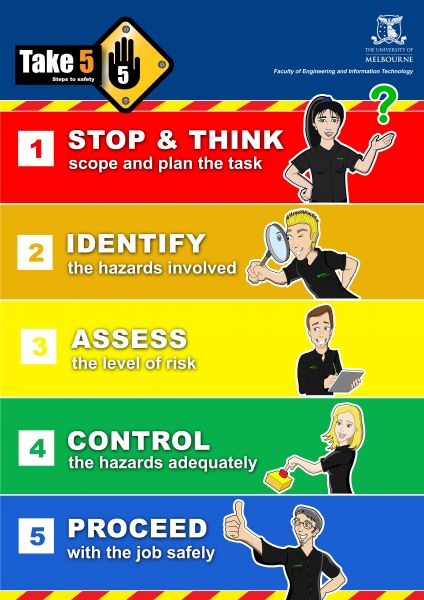
-
Inform a team member of any near miss or injury occurring in The Creator Space. Report any issues or breakages of tools and equipment.
-
The Creator Space is a collaborative environment, one where you are encouraged to work with others to innovate. A key part of this is communication. Introduce yourself to other users and the The Creator Space team members.
Our team members have a wealth of knowledge they are willing to share to support you in your making so please reach out if you're unsure of anything.
Ask first:
- If you would like to bring in your own materials, such as paints and adhesives, as, in the interests of everyone’s safety, certain hazardous materials are banned.
- If you don’t know the right tool or material to use, or what’s best to shape your material. For example, treated pine and marine plywood cannot be used in the laser cutters as it is hazardous.
- If in doubt about anything at all.
Tell us:
- About any near miss or injury occurring in The Creator Space.
- If there are any issues or breakages of tools and equipment.
- What you think - feedback is important to keep the space meeting your needs.
We can’t maintain the safest possible environment for everyone without your help.
Materials
A basic inventory of materials is provided by the Faculty of Engineering & IT for project use. We encourage you to prototype your designs in drawing or CAD before physical prototyping.
If you are bringing in your own materials, please consult the The Creator Space accepted and banned materials list. If your material is not listed, please ask a staff member.
Depending on the project, there are various ways to source your materials. The following table provides an overview of how to source materials for various types of projects.
Project type | How to source materials | Notes |
Coursework | Directly from Subject Coordinator Freely available materials and parts at TCS (MDF/Acrylic, fasteners, etc.) | Guidance to be provided via your subject coordinator
|
Capstone | Source via capstone procurement process with supervisor Offcuts and Reverse Art prototyping materials in The Creator Space | Capstone projects are provided a budget by the Uni, which does not include parts or materials from TCS Capstones are treated differently to coursework, and students doing capstone projects must organise their own parts and materials |
FEIT Clubs and Societies | Source through university club procurement process Offcuts and Reverse Art prototyping materials in The Creator Space | Clubs are provided a budget by the Uni, which does not include parts or materials from TCS |
Research | Offcuts and Reverse Art prototyping materials in The Creator Space | Researchers are provided a budget by the Uni, which does not include parts or materials from TCS |
Personal | Offcuts and Reverse Art prototyping materials in The Creator Space | |
Frequently asked questions
-
What’s an off cut?
An off cut is piece of waste material that is left behind after cutting a larger piece.
Re-purposing rejects, seconds and factory off cuts
From time to time, The Creator Space sources a variety of items from Reverse Art Truck to assist in topping up our 'prototyping materials' for open ended projects.
What’s in your ‘prototyping materials’ collection?
It’s random and can change daily! For example, we could have PVC pipes, string, or small bits of dowel. It's best to come in and check it out.
How you can contribute
Turn your waste, off cuts into something usable for someone else by placing it in the signed Prototyping materials and off cuts locations in The Creator Space.
-
The Creator Space provides users with basic materials inventory to assist with making and honing one’s making skills. We do our best to maintain our stock levels and encourage you to only use what you need for projects you are working on in the space. Note the materials inside the Wood Shop and Metal Shop are for those trained users only.
- General Maker - Fasteners, sandpapers, adhesives, lubricants, seals, bearings
- Laser Cutting – MDF*, Clear acrylic*
- Metal Shop (trained users only) – Mild steel*, aluminium*
- Wood Shop (trained users only) – Some timber*, plywood*, MDF*, dowel*
- Electronics – Resistors, capacitors, voltage regulators, transistors, switches, sockets, inductors and much more!
*consider checking the Prototyping materials and offcuts locations first!
-
Do you have something you want to bring in?
Some materials may let off toxic dust when being cut; this can be a health hazard, or can damage the equipment. For your safety and for the equipment in the space, please be aware of accepted and banned materials in The Creator Space.
If unsure please check with a team member before purchasing.
Considering glues, paints and flammable substances
Please consider the safety of all glues, paints and potentially hazardous substances. All chemical materials must have an adequate MSDS (Material Safety Data Sheet) to be brought into The Creator Space.
For more information, see the University's health and safety chemical management guidelines. Here you can find information on Safe Data Sheets, and access GoldFFX.
Chemical management guidelines
Note: the Safe Data Sheets information and GoldFFX access page is only accessible with a university username and password.
Ensuring fair access to The Creator Space
We know that when projects are due, time is of the essence and access to the equipment and space is critical, as such, we strongly encourage you to plan ahead.
We are currently operating both floors on a first in best dressed basis. We encourage you to use the space for making activities only.
Bookings are required for
- Groups over 6 people across the space
- Test Bed
- Tours
- Filming