1. Materials Characterisation and Fabrication Platform
  2. MCFP Learning
  3. Scanning Electron Microscopy
  4. Getting good images
  5. Brightness and contrast
  • Scanning Electron Microscopy
  • Introduction
  • Applications of SEM
  • All Fundamentals of SEMThe sourceThe columnThe chamber and sample stageElectron interactions and detected signalsVacuum modes
  • All Getting good imagesSample preparationBeam conditionsChoosing the detectorFocussing and working distanceBrightness and contrastScan speedStigmatism
  • Get into the lab!

Brightness and contrast

Each of the three main detectors on the FlexSEM have their own independent Brightness and Contrast settings. These control the range of pixel intensities displayed in your captured image, and thoughtful control over their setting will ensure you can see the desired detail in your SEM image.

Important Note!

Each detector has its own set of values, so if you intend to capture from two detectors simultaneously you must ensure you have correctly set the Brightness and Contrast for each detector.

Dynamic Range

The goal of setting the Brightness and Contrast values is to maximise the dynamic range of the captured image. This is the separation between the darkest pixels and the brightest pixels. At the same time, you don't want to have regions of your image that are absolute black or white, as details may be lost in these areas. It is a fine balance to achieve the most appealing image.

Most SEM instruments, including the FlexSEM, can display a histogram of your live image to allow you to visualise the distribution of pixel intensities in the image. Ideally you want the histogram to look like a "mountain range" and not a "valley". You also want the histogram to spread across as much of the pixel range as possible, not appear as a very narrow peak.

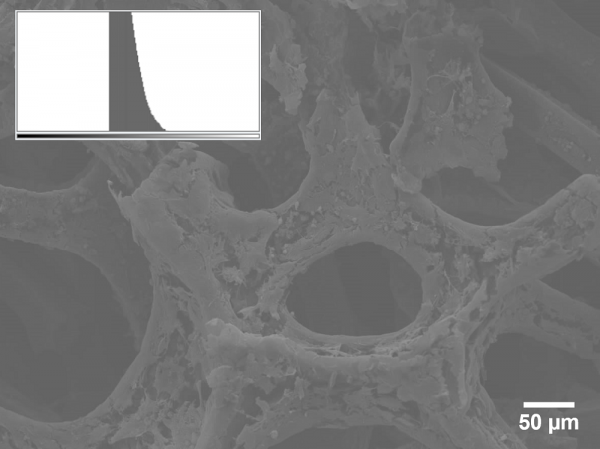
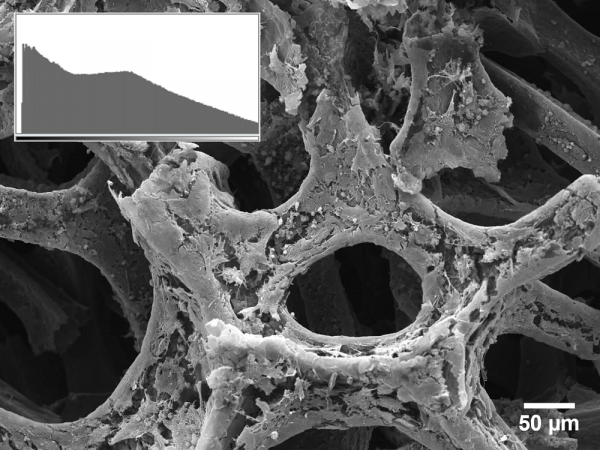
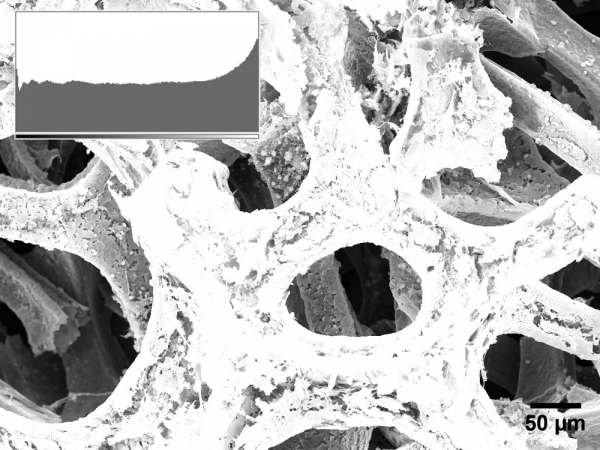
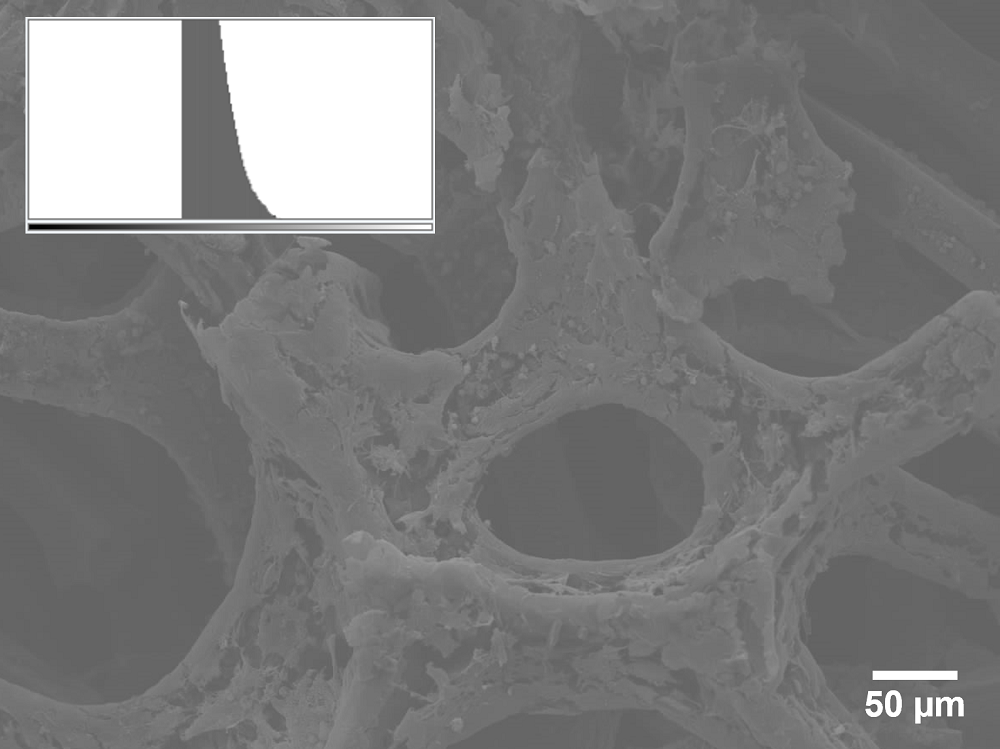
Below are three examples of images with varying B/C settings. Pay attention to the image histograms that are inset, and how the setting of the B/C values has resulted in these histograms. Which do you think looks the best?

  • Dull SEM image
    In this image the B/C is poorly set, resulting in lack of range of pixel intensities and thus lack of detail
  • Good SEM image
    Here the B/C values have been optimised to maximise the spread of pixel intensities from dark to light, with saturating either, given the most detail from the image
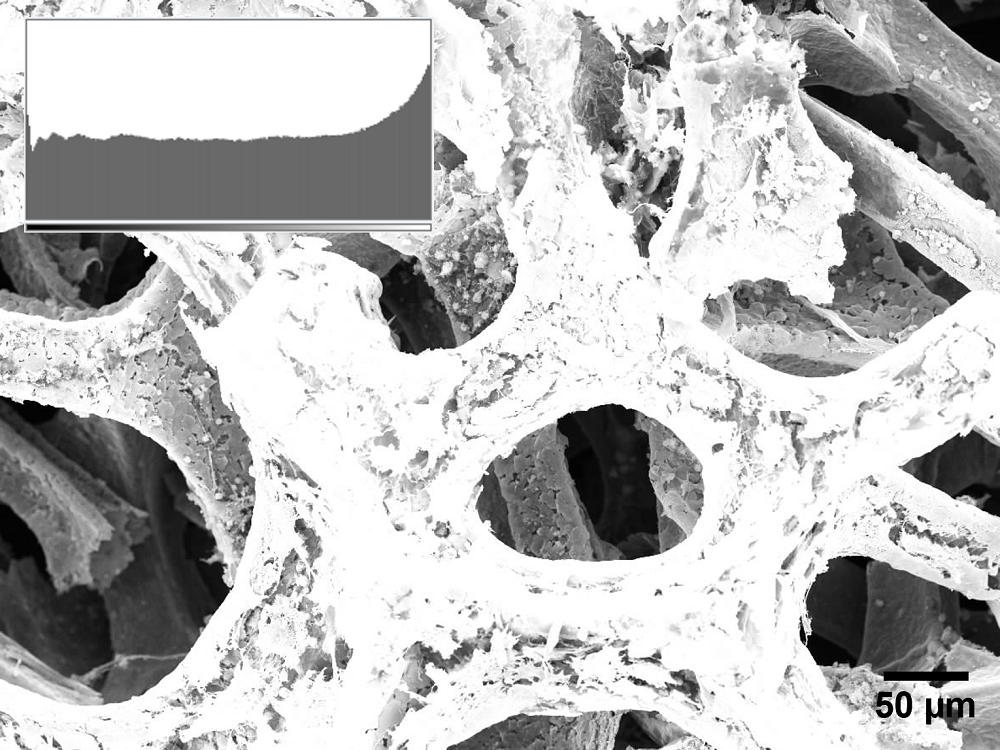
  • Bright SEM image
    In this image the B/C settings are saturating the bright areas to try to visualise the dark areas. This is sacrificing detail in the bright areas leading to an unappealing image.
Auto Brightness Contrast function

More often than not, the Auto Brightness/Contrast adjustment in the FlexSEM software will do a good job of adjusting the image pixel intensities to give you an appropriate looking image for capture. Some adjustments may still be desired after this process to really optimise the histogram, but it is a good starting point.

Next - Scan speed

Back to MCFP Learning Home

Materials Characterisation and Fabrication Platform

  • Our Capabilities
    • Nanofabrication
    • Nanomaterials Characterisation
      • Atomic force microscopy
      • Anton Paar NHT3 Nanoindenter
      • DataPhysics optical contact angle
      • Hirox RH-2000 2D/3D microscope
      • Quorum Q150T Sputter Coater
    • Advanced Fluorescence Imaging
      • Zeiss Elyra 7 Lattice SIM
      • Nikon A1R+ Confocal Microscope (CLSM)
      • STORM (Stochastic optical reconstruction microscopy): Nikon N-STORM
      • Olympus IX71 Fluorescence Microscope
    • Cytometry and Particle Characterisation
      • Mass cytometry
      • Halo
      • NanoSight Pro
      • Apogee A-50 Microflow Cytometer
      • CytoFLEX Nano
      • Imaging Flow Cytometry
      • ICP-MS
      • Imaging ToF-ICP-MS
    • Electron and Ion Microscopy
      • Scanning electron microscopy (SEM)
      • Helium ion microscopy and dual-beam nanofabrication
      • Sample Preparation
    • X-Ray Characterisation
      • X-ray diffraction (XRD)
      • X-ray fluorescence (XRF)
    • Vibrational Spectroscopy
      • Confocal Raman Microspectroscopy
      • Fourier Transform Infrared Microscopy
    • Biological Optical Microscopy Platform (BOMP)
    • Ian Holmes Imaging Centre
    • Trace Analysis for Chemical, Earth and Environmental Sciences (TrACEES)
    • University of Melbourne Research Infrastructure
    • MCFP 2023 User Survey
  • Access Equipment
  • MCFP news and events
    • MCFP Image Competition
      • MCFP Image Competition
  • Our Expertise
    • Elena Taran
    • Anders Barlow
    • Paul Brannon
    • Darryl Johnson
    • Dan Smith
    • Raveen Wijesuriya
    • Tian Zheng
    • Ray Dagastine
    • George Franks
  • Services for Industry
  • MCFP Learning
    • Video Guides
      • LUMOS ATR-FTIR Guides
      • CytoFLEX Guides
      • NanoSight Guides
      • FlexSEM-EDS Guides
    • FlexSEM-EDS FAQs
  • Sustainability
    • Sustainability Framework
    • Sustainability on Campus
    • FEIT Sustainability
    • Green Impact
    • Sustainable ANFF
  • Publications
  • Current Students
  • Library
  • Staff

Acknowledgement of Country

We acknowledge Aboriginal and Torres Strait Islander people as the Traditional Owners of the unceded lands on which we work, learn and live. We pay respect to Elders past, present and future, and acknowledge the importance of Indigenous knowledge in the Academy.

Read about our Indigenous priorities

Site footer

  • About us
  • Careers at Melbourne
  • Safety and respect
  • Newsroom
  • Contact
  • Campus locations

Contact details

Phone 13 MELB (13 6352)
International +61 3 9035 5511

Address
The University of Melbourne
Grattan Street, Parkville
Victoria 3010
Australia

Connect with us

  • Emergency
  • Terms & privacy
  • Accessibility
  • Privacy
  • The University of Melbourne (Australian University): PRV12150
  • CRICOS number: 00116K
  • ABN: 84 002 705 224